Key Takeaways
Paper and film are broad facestock families; cutting behavior depends on the complete facestock, adhesive and liner construction.
Paper commonly shows fiber dust, tearing or liner strike-through when the blade and depth are wrong.
Film can stretch, lift, build static or expose tension and tracking problems that remain hidden on stiffer paper.
Registration must be tested after printing and lamination because gloss, transparency and dimensional change affect detection.
Approve cut quality, matrix removal and finished-roll behavior with the actual production stock—never from a material name alone.
Paper and film labels require the same basic process—registration, kiss cutting, matrix removal and finishing—but they do not respond identically. Paper tends to be stiffer and fibrous; film is often thinner, more elastic and more sensitive to static or tension. The correct blade, exposure, force, speed and web settings therefore belong to the complete label construction, not simply to “paper” or “BOPP.”
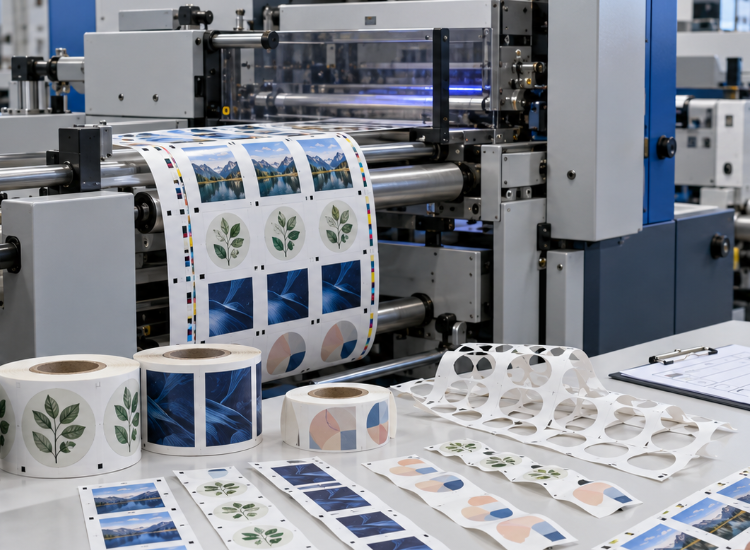
Paper vs. Film Cutting at a Glance
| Cutting factor | Paper facestock | Film facestock |
|---|
| Structure | Fibrous and generally less elastic | Polymeric and often more extensible |
| Typical edge concern | Dust, tearing or fuzzy fibers | Stretching, edge lift or adhesive drag |
| Feeding concern | Moisture, curl and coating variation | Static, low stiffness and tracking |
| Optical concern | Dark or textured stock | Clear, glossy or reflective surface |
| Matrix behavior | May tear at narrow bridges | May stretch before breaking |
| Test requirement | Printed construction and liner | Printed, laminated construction and liner |
These are diagnostic tendencies, not universal rules. A dense synthetic paper may behave more like a film, while a thick film construction may feed more steadily than a lightweight paper label.
Start With the Complete Label Construction
A pressure-sensitive label is a system: facestock, print layer, optional coating or laminate, adhesive and release liner. Changing any layer can affect cutting depth, friction, stiffness and waste stripping. Even two products both called “PET” can use different thicknesses, topcoats, adhesives and liners.
Ask for the material manufacturer’s exact product code and technical data. Record facestock and liner thickness separately where available. The cutter must penetrate the face and adhesive during kiss cutting while leaving the liner functional; total caliper alone does not define that stopping point.
What Changes When Cutting Paper Labels?
Paper fibers can produce dust or rough edges when a blade is dull, contaminated or poorly matched to the job. Heavy ink coverage, coating and ambient humidity can also change curl and stiffness. A roll that fed correctly when blank may behave differently after printing.
Inspect the edge with magnification, peel several labels and flex the liner. If the label does not release, the face or adhesive may be incompletely cut. If the liner is deeply scored, it may break during matrix removal, rewinding or automatic application. Increasing pressure without inspecting the liner can turn one problem into another.
What Changes When Cutting Film Labels?
Films such as PP, BOPP, PET and PVC vary widely, but many are more flexible and extensible than paper. Excessive tension can distort the web, while low or uneven tension can allow drift or wrinkles. Static may affect feeding, waste handling and collection. Clear or glossy surfaces can challenge optical registration.
A sharp blade and controlled web path are important because dragging can pull a thin film away from the intended contour. Tight radii, narrow matrix bridges and aggressive adhesive can make waste stripping less stable. Test at the smallest regular label and the most difficult geometry, not only on a large rectangle.
The VICUT guide to curling, wrinkling and feed drift on roll-fed films provides a useful diagnostic sequence. Apply settings only after confirming they are suitable for the specific machine and film construction.
Registration on Paper, Clear Film and Laminated Stock
Registration marks need reliable contrast. White paper with dark marks is usually straightforward, but textured paper, metallic ink, clear film, white ink layers and glossy laminate can change what the sensor or camera sees. Lamination may add glare or slightly alter the web’s dimensions and tracking.
Print the marks using the production printer and apply laminate in the intended sequence. Test across the web and along the run. If a transparent construction needs a special mark area or backing method, it must be included in the approved file and documented workflow rather than improvised during production.
Matrix Removal and Finished Output
Matrix removal is often where a material difference becomes commercially important. Paper waste may tear at weak narrow sections; film waste may stretch and change peel geometry before it breaks. Label spacing, corner shape, adhesive and stripping angle all interact with the material.
Check the waste roll, not only the finished labels. Record where breaks occur and whether they repeat at the same shape. Then inspect slitting and rewinding: flexible film can reveal uneven tension or roll build, while curled paper can create tracking and edge alignment problems.
A Controlled Paper-vs.-Film Test
Use the same label shape and lane layout where practical, but do not force identical settings.
Record the exact facestock, adhesive, liner, print and laminate.
Use a fresh, documented blade baseline.
Establish kiss depth at a conservative test condition.
Inspect peel, liner condition and edge quality.
Run enough repeats to test registration and matrix removal.
Slit and rewind to the customer’s finished-roll specification.
Save approved samples and settings for each construction.
For sheet-based work, review VICUT’s guide to sheet sizes, weights and materials. For rolls, use the VICUT roll label cutting range to identify an appropriate test configuration. The VR320 label die cutter, for example, lists both paper and selected film families, but compatibility still requires the actual construction and job.
Frequently Asked Questions
Is film always harder to cut than paper?
No. Some films cut cleanly, while some coated or textured papers are difficult. Judge the complete construction and required output.
Can I use the same blade settings for paper and BOPP?
Do not assume so. Establish and document a separate approved recipe after inspecting the liner and matrix behavior.
Why does clear film fail registration?
Low contrast, reflections, background objects or laminate glare may interfere with detection. Confirm the supported mark workflow for the model.
Does lamination make a film label easier to cut?
It can add stiffness, but it also changes thickness, tension and surface reflection. Test the final laminated construction rather than predicting the result.
Validate Your Label Construction With VICUT
Material names are not enough for a reliable machine decision. Send VICUT the exact paper or film facestock, adhesive, liner, print method, laminate and representative artwork. Contact VICUT to test the final construction on an appropriate roll label cutting system and review registration, liner condition, matrix removal and finished-roll behavior before approving compatibility.
 vicutcnc@cncvicut.com