CELLPHONE

+86 551 6577 4134

Get A Quote
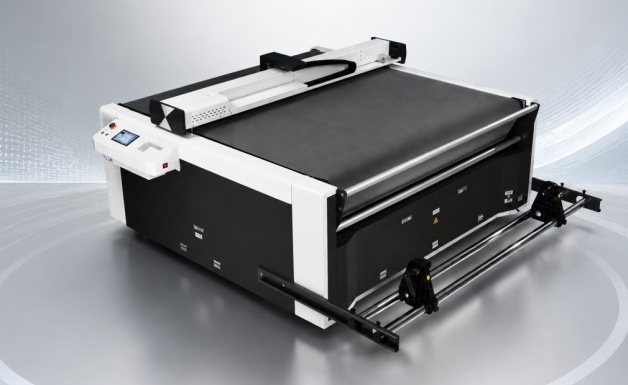
Roll Feeding Flatbed Cutter

Single Head Auto-Feed Digital Flatbed Cutter

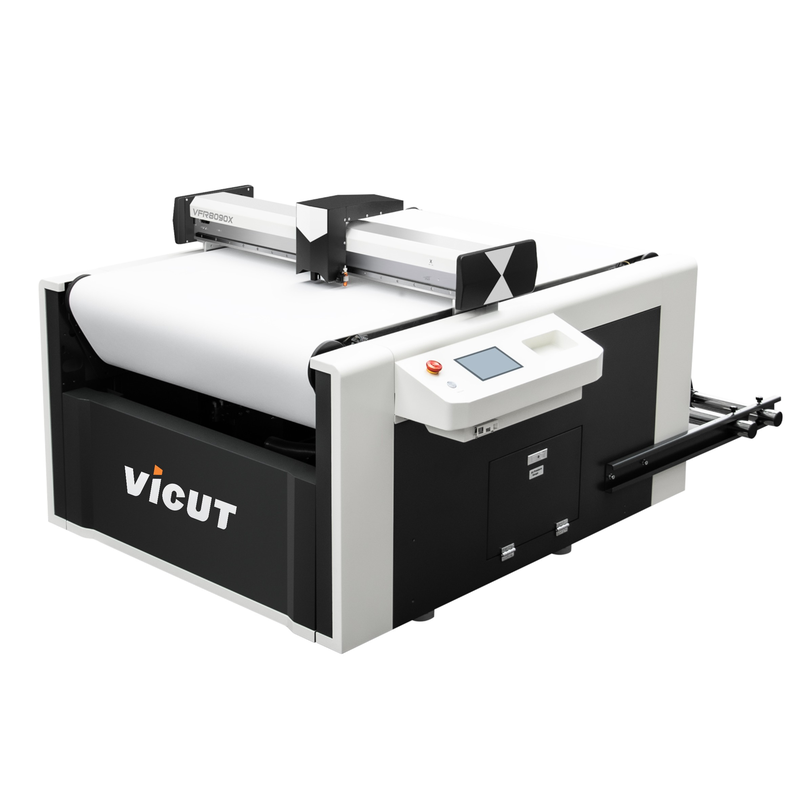
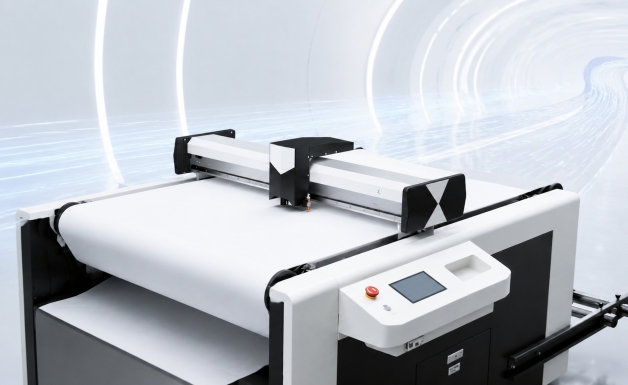
The VICUT single-head auto-feed digital flatbed cutter is designed for die-less contour cutting of printed graphics and other flexible materials. Combining a conveyor feeding system, vacuum hold-down, and CCD camera registration, it supports full cutting, kiss cutting, perforation, and marking for a range of graphic finishing applications.

The single-head configuration offers a practical solution for sign makers, print shops, automotive film specialists, and manufacturers that need flexible digital cutting without producing a conventional die for every design. Depending on the selected model and configuration, the VFR series supports different working areas to match material sizes and production requirements.


KEY FEATURES

  • Single Head Auto-Feed Digital Flatbed Cutter

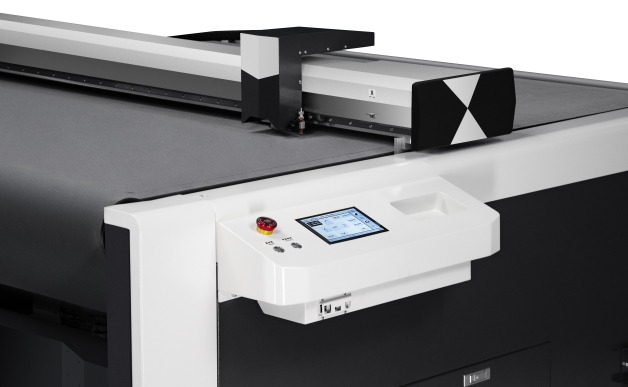
    Touch Screen

    The advanced touch screen design exudes a high-tech feel and ensures a more comfortable user experience.

  • Single Head Auto-Feed Digital Flatbed Cutter

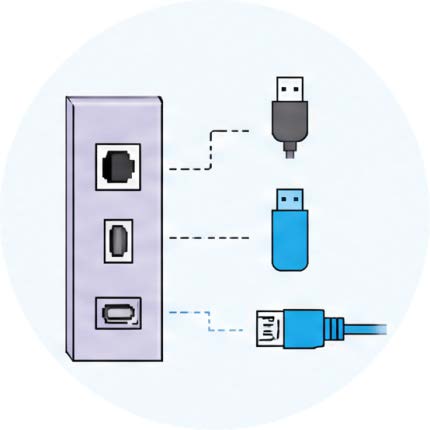
    Multiple Connection Ports

    USB cable, U-Disk and Ethernet connection supported. With Ethernet connection, one PC is capable of controlling several machines.

  • Single Head Auto-Feed Digital Flatbed Cutter

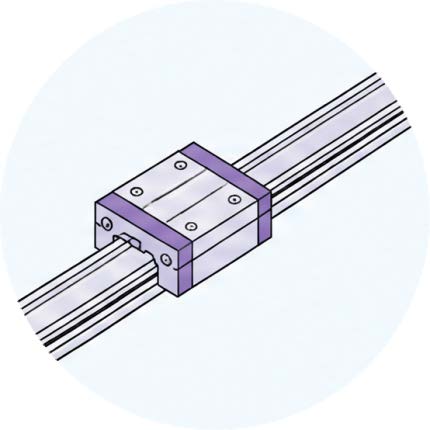
    Linear Guide Rail

    Adopts linear guide rail for stable guidance, high speed and accuracy.

  • Single Head Auto-Feed Digital Flatbed Cutter

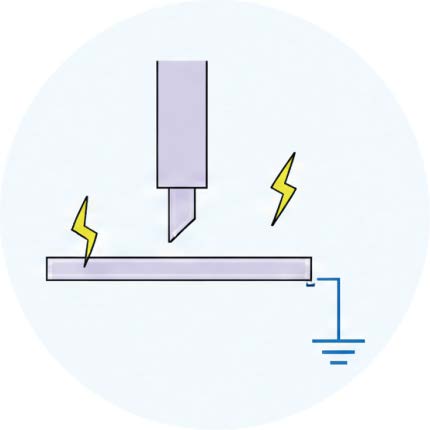
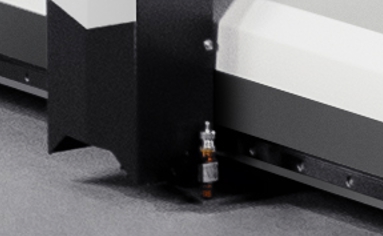
    Static Electricity Free

    Static interference frequently plagues conventional cutting machines. Our cutter eliminates static‑electric disturbance, with year‑round reliability tests carried out under varied weather conditions.

  • Single Head Auto-Feed Digital Flatbed Cutter

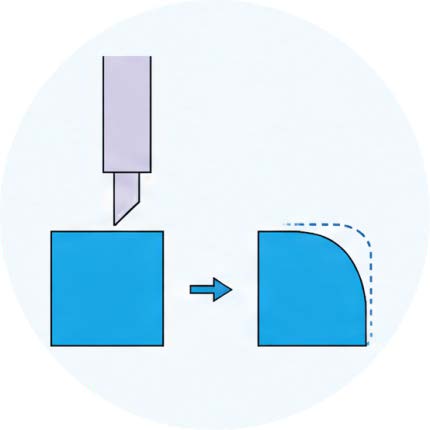
    Advanced Algorithm

    Obvious elimination of distorted, rounded or lifted corners.

  • Single Head Auto-Feed Digital Flatbed Cutter

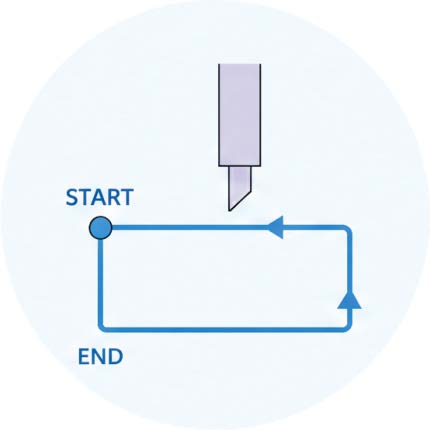
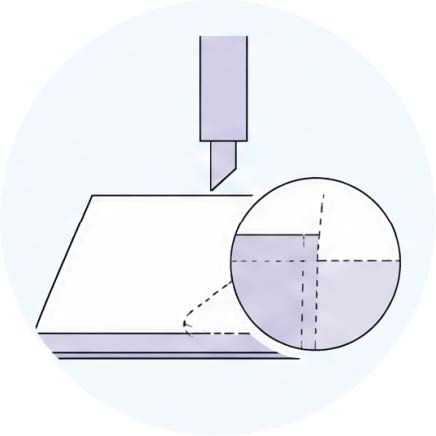
    No need over‑cut

    On every cutting path, the start point and end point coincide accurately, while no need any OVERCUT.

  • Single Head Auto-Feed Digital Flatbed Cutter

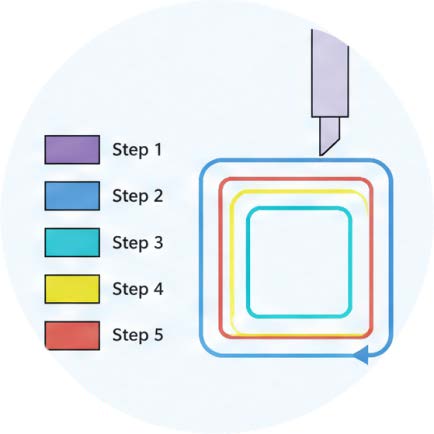
    Cutting Force in 8 Steps

    Color the cutting paths differently to put different force steps, set the processing sequence with color sequence.

  • Single Head Auto-Feed Digital Flatbed Cutter

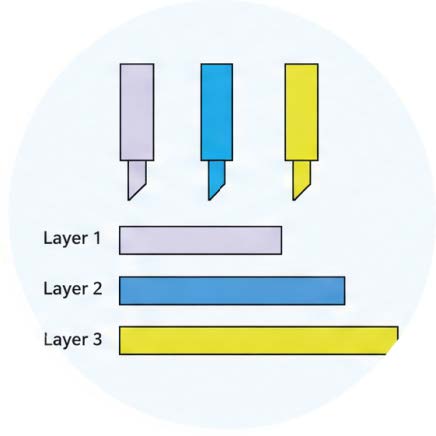
    Multiple Layers Solution

    For medias with multiple layers, different cutting force is applied for different layer.

  • Single Head Auto-Feed Digital Flatbed Cutter

    One‑click to Clear History

    One‑click deletion button for the currently print document and clear it completely from buffer memory.

  • Single Head Auto-Feed Digital Flatbed Cutter

    Half‑Cut/Perforation Cut

    Grating ruler is used to guarantee the cutting depth always be same.

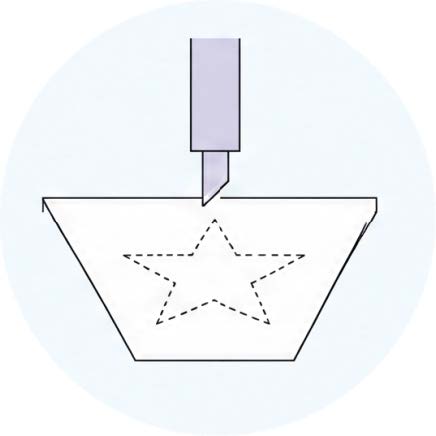
  • Single Head Auto-Feed Digital Flatbed Cutter

    Dotted Lines Cutting

    Dotted line cutting is available for medias with 2 layers typically and also kinds of paper.

Technical Parameters

The VFR single-head auto-feed digital flatbed cutter series is available in different working sizes. Select the model according to the required cutting area, material format, and production workflow.


Model

VFR8090X

VFR1312X

VFR1612X

Non‑Contour Working Area

800x910mm

1300x1200mm

1520x1200mm

Contour Working Area

770x890mm

1240x1180mm

1490x1180mm

Max. Cutting Thickness

1.2mm

No. of heads

Single head

Working mode

kiss cut, full cut, perforate (blank cut & contour cut)

Drive

Voice Coil Servo Motor

Control Panel

Touch Screen

Applicable Media

Soft/Flexible Material/Paper Sheets

Method to Fix Media

Vacuum Table

Method to Deliver Media

Conveyor belt

Max. Cutting Speed

800mm/s

Max. Cutting Force

600g

Cutting Force Setup

Adjustable in Every 1g

Blade Diameter

2mm

Blade Angles

30°/45°/60°

Mechanical Resolution

0.0125mm

Compatible OS

Windows11/10/8/7

Memory Buffer

32MB

Software Standard

SignWorkPro Plugin for CorelDRAW

Software Supported

Flexi Complete / Digital Factory / Onyx / Neostamp / SignMaster

Database Supported

(Automotive Aftermarket)

Yink / Mantis Cut / Aeoncut / Yuanting / Zhitu / Ultrafilmcut / …

LCD Language

English/Chinese(Russian and Korean as optional)

File Format

HP-GL/PLT

Data Transmission Mode

USB Cable/U-Disk/Ethernet

Registration Marks Detection

CCD Camera

Power Input

220V 50-60HZ

Power Consumption

2.2KW

3.2KW

3.2KW

Collecting Bag

Optional

Rewinding roller system

Optional

Machine Dimension(L‑W-H)

188*137*103cm

228*192*103cm

228*210*103cm

Packing Size

162*146*126cm

210*200*126cm

210*221*126cm

Gross/Net Weight

390/340kgs

540/480kgs

580/510kgs


How the Auto-Feed Digital Flatbed Cutter Works


The cutting process combines digital file preparation, material feeding, registration, and controlled cutting.

Step 1: Prepare the Cutting File

Create the required cutting paths and registration marks in compatible design or cutting software. Confirm that the cutting file matches the printed artwork.

Step 2: Load and Align the Material

Mount the roll material on the media bracket or prepare the compatible sheet material according to the selected workflow. Set up the conveyor and vacuum hold-down as required.

Step 3: Detect Registration Marks

For printed contour-cutting jobs, use the CCD camera to identify the supported registration marks and align the cutting paths with the printed graphics.

Step 4: Select the Cutting Mode

Set the required cutting force, cutting mode, and processing sequence. Test the settings on the actual material when introducing a new substrate or multilayer construction.

Step 5: Start Digital Cutting

The cutter follows the programmed paths to perform full cutting, kiss cutting, perforation, or marking according to the selected configuration.

Step 6: Inspect and Collect the Finished Material

Check contour alignment, cut depth, edge quality, and material movement. Confirm that the finished pieces meet the application requirements before running a larger batch.

For new materials or complex printed graphics, a sample test is recommended before full production.

Details Description

Advanced Tool Carriage

Taking the sport car structure, driven by silent voice coil motor, tool carriage of VFR series flatbed cutter is featured as fast, more agility and no overheat for long‑term non‑stop operation.


Auto Feed System

Conveyor is able to accomplish long seamless cutting / plotting. With the combination of CCD camera, fast and accurate nesting / contour cutting is performed.


Oriented Roll Media Bracket

It is smooth to feed media with the media bracket, user may setup the bracket according to media feature and specs. The bracket improves productivity.


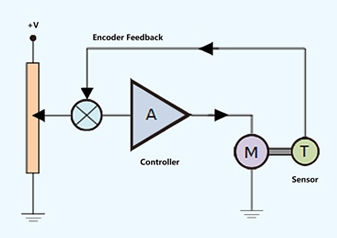
Servo Motor / Closed Loop Control

Cutting / Plotting will be stopped when tool carriage is overloading, it is an important safety feature to protect tool carriage when media is jammed. Servos also bring out smooth acceleration, big torque, precise cutting / plotting and excellent durability.


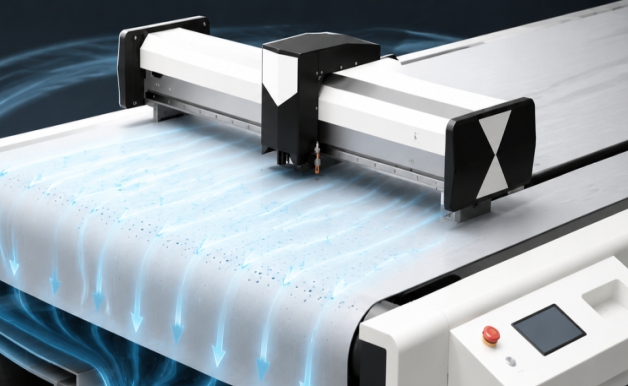
Vacuum System

Strong air flow to hold down the media flatly and tightly against the table top so that the tool carriage can perform fast, accurate cutting / plotting.


Smart Controller

VFR series flatbed cutter controller runs with advanced algorithm, easy to upgrade and custom‑made for different applications for future. As the core of our system, it is programmed and produced by our‑self.


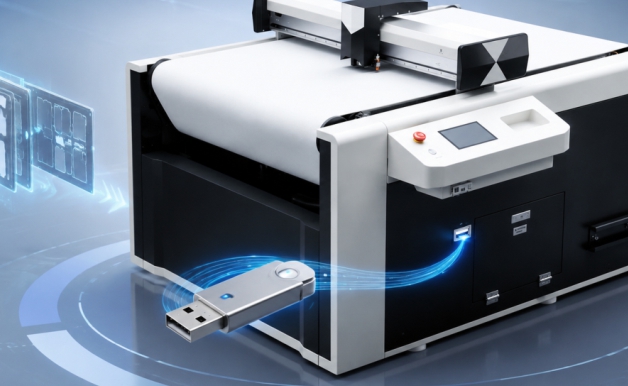
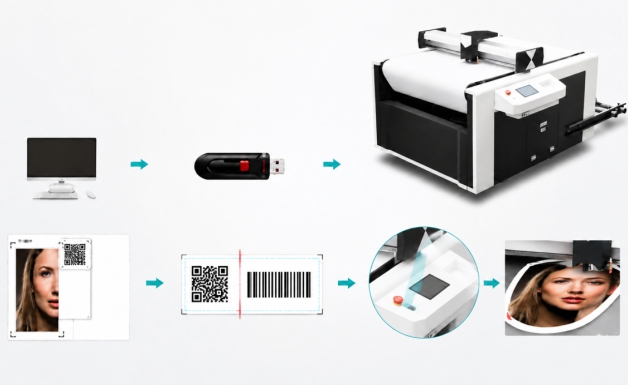
U‑Disk / Duplicate Cutting Jobs Offline

Users are able to duplicate the cutting jobs offline, which is much convenient than doing that with connecting to PC by USB cord. The function of duplicating cutting jobs with USB memory is a leading technology that developed by our‑self. This feature is important for efficient volume production.


Quality Components

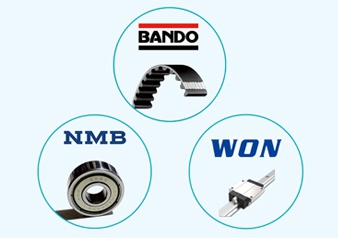
For outstanding performance and long‑term reliable working, we only use world class brand name components like BANDO belt, MB bearing, Ultra‑silence Guides made by WON Korea, etc.


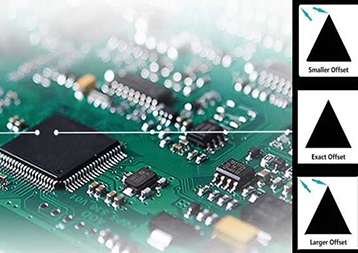
Making Blade‑tip Compensation by Hardware

Our system makes blade‑tip compensation by hardware (main board) instead of software, the cutter works with constant high precision no matter what kind of CAD / CAM software is applied. 


Clean Smooth Edge Quality

The grating ruler and correspondent cutting force management deliver clean smooth edge quality, even for the most complex jobs. It is easy to peel off the waste material, which cut down workload greatly for the users.


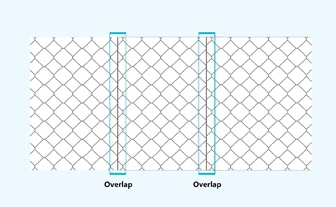
Intelligent Bleeding for Easier Overlap Operation

Intelligent bleeding function makes overlap operation easier for the installers, this feature is very important for making and installation of big signs / indicators.


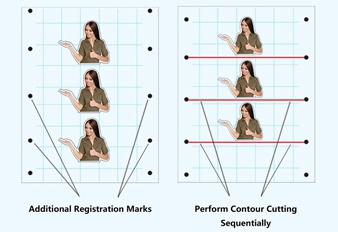
Segmented Area Cutting Operation

Additional marks are available for more precise axis alignment. Contour cutting is performed sequentially in each segmented area, which improves accuracy and tracking for heavier media or media that has been laminated.


QR Code Supported

One‑click to recognize the cutting job from those saved in the U‑disk by scanning the QR code which is pre‑printed, while not requiring to connect to computer. This function is especially helpful to increase the productivity when there are many files stored in the U‑Disk. U‑disk / offline function is able to send same cutting job repeatedly.


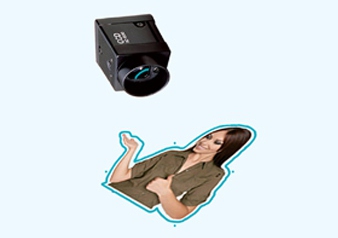
Fast Registration Marks Detection with CCD Camera

With a dedicated software, it is able to generate contours in one‑click, and it is easy to add registration marks. CCD camera, used in combination with related software is applied to detect the intricate contours fast. Problems caused by position error of human and poor quality printing are solved. CCD camera is applied for wide varieties of medias.


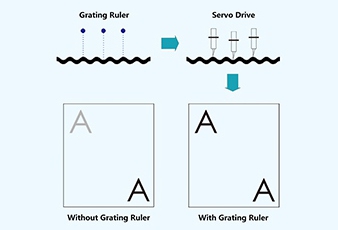
Grating Ruler

Measure the distance between blade tip and material surface in real time, the cutting depth is adjusted in every 0.01mm by the controller in real time according to the value of distances measured. Subsequently, the blade travels up and down as material surface goes up and down in order to keep the same cutting depth at any position of that tool path across entire working size. In short, the cutting depth is consistent, you will not see different shades.


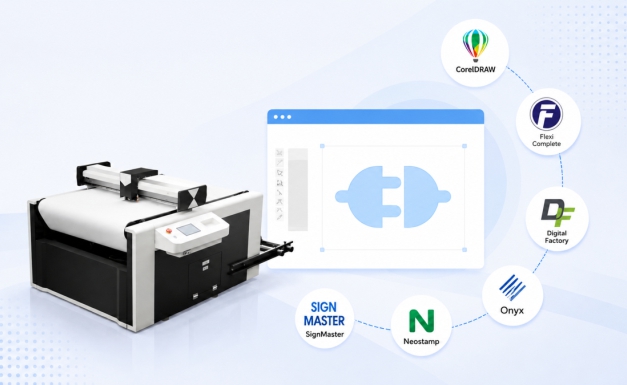
Multiple Software Supported

VFR series cutter is with standard plugin program for CorelDRAW which is widely used for graphic business. Also, Flexi Complete, Digital Factory, Onyx, Neostamp and SignMaster are supported. 


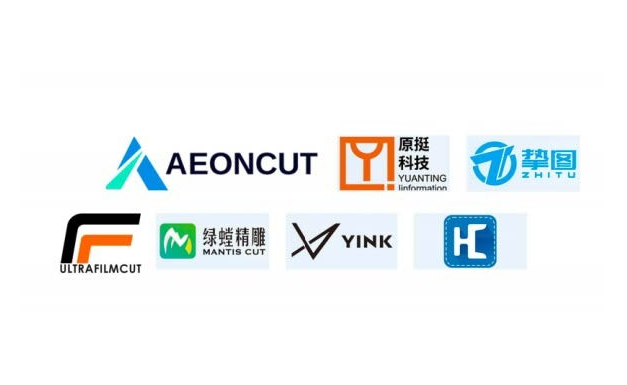
Database Supported (Automotive Aftermarket)

VFR-X single head flatbed cutter cutter is supported by mainstream mature database software for Automotive Aftermarket, including Yink, Mantis Cut, Aeoncut, Yuanting, Zhitu, Ultrafilmcut, etc. Hence, this machine is

wellsuited for the automotive aftermarket to cut PPF, vehicle wrap films and similar materials.


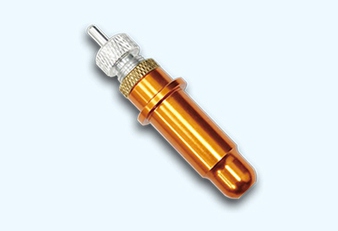
Fine Cutter Holder

Cutter blade runs precisely and won’t drop cutting thick, sticky medias.


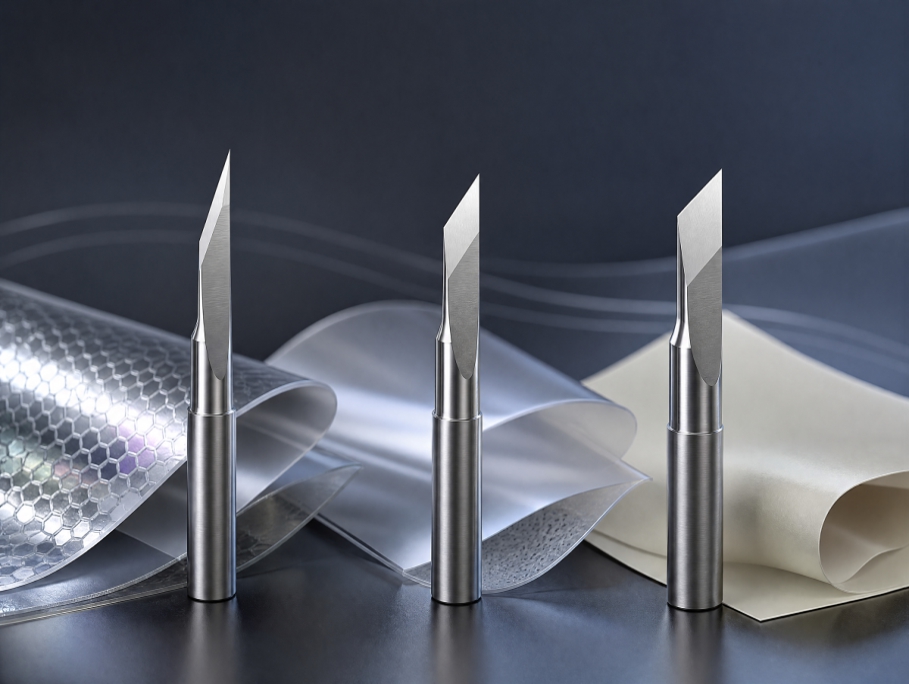
Series Cutter Blades Available

The 30° blade features a sharp cutting edge, ideal for thin reflective film, thin paint‑protection film and DTF film.

The 45° blade is slightly blunter and offers improved wear resistance versus the sharp blade, works for DTF film but may perform poorly on heavy‑duty reflective film.

The 60° blade is the most wear‑resistant option, only recommended for ultra‑soft, thin self‑adhesive vinyl.


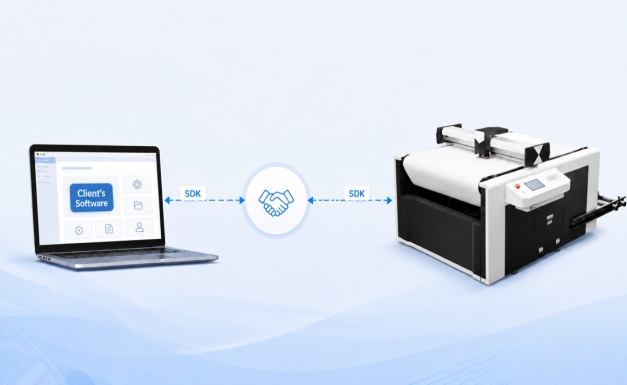
Handshake Protocol

We provide Software Development Kit / SDK to match with client's software. Customers are able to use their own software

Application

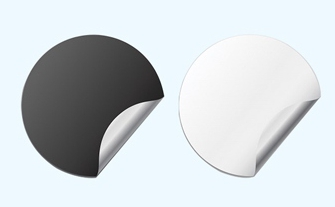
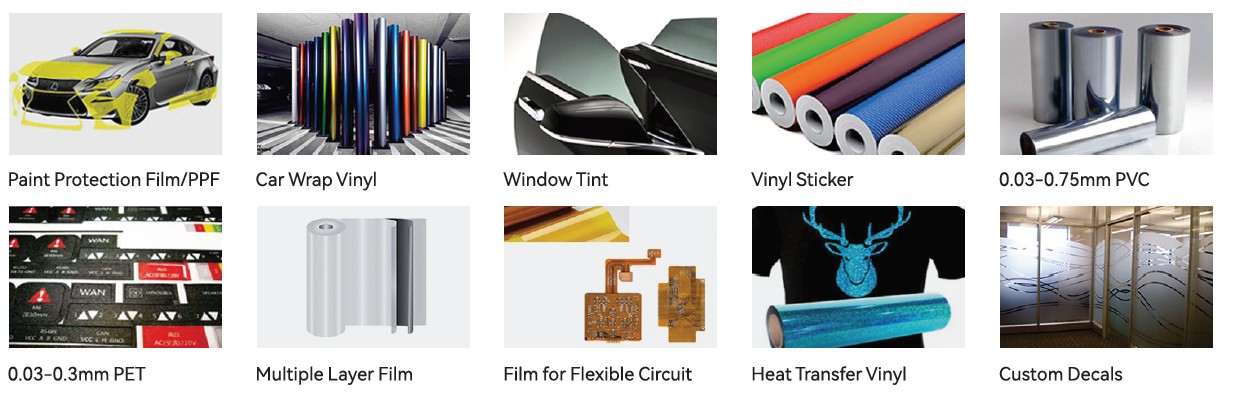
Compatible work‑materials include paper stock, PVC film, PET film, DTF (direct to film), reflective films, heat‑transfer films, paint‑protection‑film (PPF), vehicle‑wrap vinyl, window tint film, self‑adhesive vinyl stickers, heat‑transfer‑vinyl (HTV), magnetic stickers, sand‑blast‑resistant rubber, 2D & 3D cellphone decorative films, multi‑layer composite films, flexible‑circuit substrate films and glass films.


The VICUT single-head auto-feed digital flatbed cutter is designed for businesses that need flexible contour cutting of printed graphics, films, and other compatible materials.


Signage and Display Graphics

Cut printed graphics, decals, display elements, and sign-making materials into custom shapes. CCD registration can help align the cutting path with printed designs when compatible registration marks are used.

Automotive Films and Vehicle Decoration

Process compatible vehicle wrap films, window tint films, and paint protection film (PPF) according to the selected blade, cutting setup, and material specifications.

For automotive film applications, confirm the material thickness, adhesive characteristics, liner construction, and required cutting depth. A successful cut on one film does not establish compatibility with every film product.

Traffic and Safety Signage

Produce cut shapes for compatible reflective films, graphic overlays, and other sign-making materials. Material-specific testing is recommended where the finished graphic must meet a defined application or safety requirement.

Apparel and Heat Transfer Graphics

Cut compatible heat transfer vinyl and other flexible graphic materials for garment decoration. Kiss cutting may be appropriate when the face material needs to be cut while retaining the carrier or backing layer.

Packaging and Printed Graphics

Support prototype graphics, short-run display elements, and compatible flexible packaging-related materials where digital contour cutting is suitable. Confirm the material's rigidity and thickness before selecting the machine.

Labels, Stickers, and Custom Decals

Process compatible sticker and decal materials into custom shapes without requiring a physical cutting die for each design. The required workflow depends on whether the job uses roll media, sheet media, printed registration marks, or multiple cutting depths.


Material Compatibility


Published VFR-X materials include soft or flexible media and paper sheets. Related VFR series materials include reflective films, heat transfer films, vehicle wrap films, window tint, vinyl stickers, and selected paper or synthetic media.

Compatibility should be verified for the specific model and material. Thickness, surface texture, adhesive, liner, stiffness, and cutting depth can all affect results. Contact VICUT with your material specifications or a sample to confirm suitability before purchase.

Dual Head Auto-Feed Digital Flatbed Cutter


Frequently Asked Questions


1. What is a single-head auto-feed digital flatbed cutter?

It is a digital cutting machine with one cutting head and an automatic material feeding system, designed to process compatible flexible materials and printed graphics without requiring a conventional cutting die for each design.

2. What is the difference between full cutting and kiss cutting?

Full cutting separates the material through its full thickness, while kiss cutting cuts the face material and retains the backing layer when the material structure and cutting settings allow it.

3. How does CCD contour cutting work?

A CCD camera detects supported registration marks on printed media and helps align the programmed cutting paths with the printed artwork.

4. What materials can the VFR-X cutter process?

The listed application range includes compatible flexible media and paper sheets, with related VFR applications covering materials such as vinyl stickers, reflective films, heat transfer films, and automotive films. Confirm the exact material and thickness against the selected model's specifications.

5. What is the maximum cutting thickness?

The current single-head product page lists a maximum cutting thickness of 1.2 mm. Confirm this limit for the specific model and material before ordering, as specifications may differ across the VFR series.

6. Can the machine process roll materials automatically?

The machine uses a conveyor feeding system and a roll media bracket to support roll-fed processing. Actual workflow and compatibility depend on the selected model, material dimensions, and configuration.

7. Which software and file formats are supported?

The current product information lists a SignWorkPro plugin for CorelDRAW and support for selected third-party software. HP-GL/PLT is listed as a supported file format. Confirm compatibility with your current software version and operating system before purchase.

8. How do I choose the right working area?

Choose a working area based on your largest graphics, material width, registration requirements, and production layout. Allow for the difference between the non-contour working area and the usable contour-cutting area.

9. Can I test my material before purchasing?

Contact VICUT to discuss sample testing with your actual material and cutting file. Confirm the test scope, shipping arrangements, and any applicable charges with the sales team.

10. What information should I provide when requesting a quotation?

Provide your material type and thickness, maximum graphic dimensions, required cutting modes, expected production volume, current software, and any registration or roll-feeding requirements. This information helps the team evaluate the suitable model and configuration.


Contact Us
  • *Email
  • Name
  • *Message
  • *Verify Code
WhatsApp +8615656982896
Email vicutcnc@cncvicut.com

Phone +86 153 0560 5250
WeChat
top